Connection manager
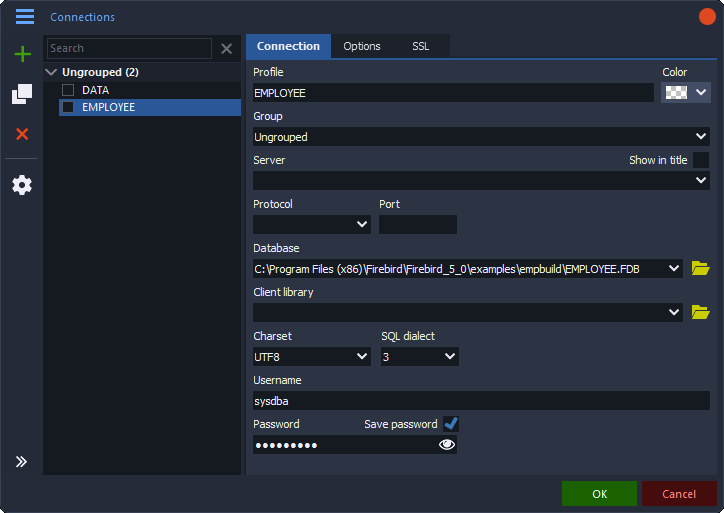
Save connections as profiles, organize them in groups, give them colors and clone them. Sort by profile or by last connect.
 Firebird Editor Pro
Powerful Firebird administration tool with object browser, SQL editor, data grid, BLOB editor, backup and restore, database compare, data pump, database source script and database documentation.
Free for any use · All downloads
Connection profiles, several connections at the same time and recovery of lost connections.
Save connections as profiles, organize them in groups, give them colors and clone them. Sort by profile or by last connect.
Every connection opens in its own tab. Tabs can show the group, user and server, and are restored when you start again.
Choose the client library, protocol, port, character set, SQL dialect and role for each connection, and add extra parameters freely.
SSL with client certificates, trusted authentication, login prompt at connect time and encrypted storage of saved passwords.
When a connection drops, a banner offers to reconnect, or the program reconnects automatically at a set interval.
Create a new database with character set, dialect and a page size from 4096 to 32768.
Import connections from DBeaver, InterBase Query and Firebird Editor Pro. Export connections to a file.
Define sets of default values such as group, server, user, client library and character set for new connections. Drop a database file on the window to connect.
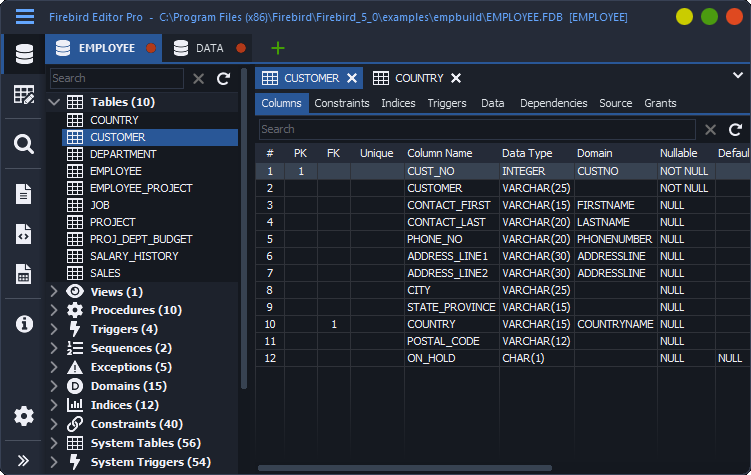
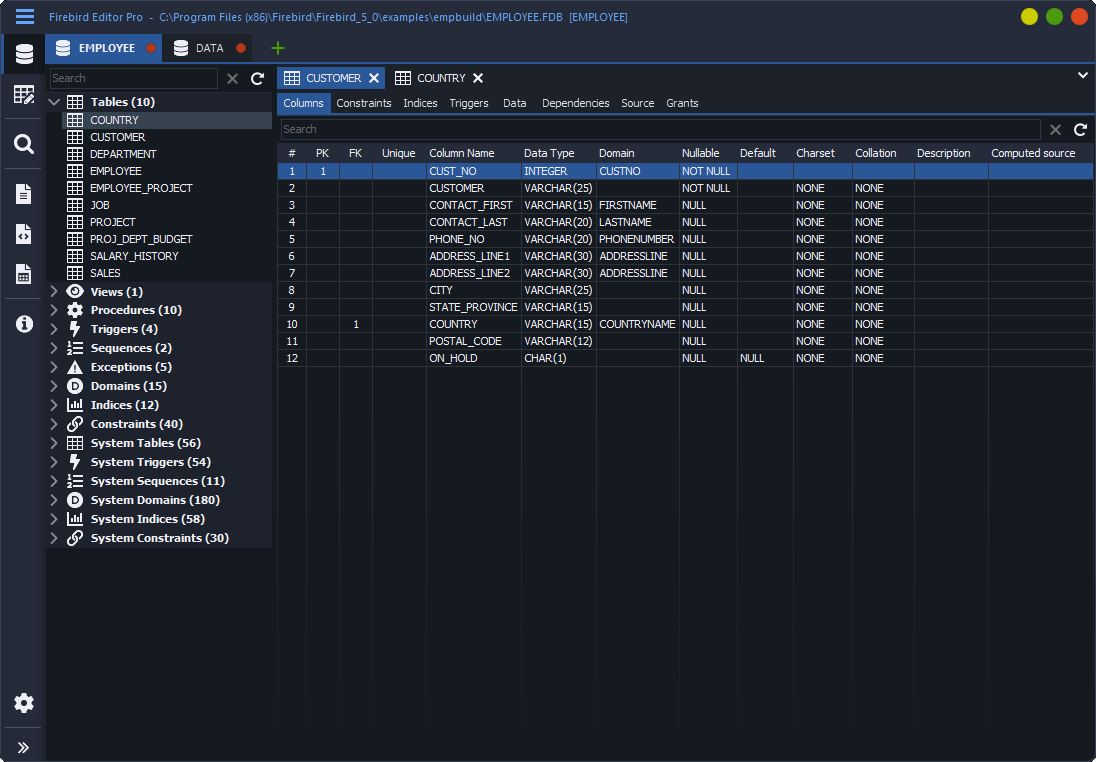
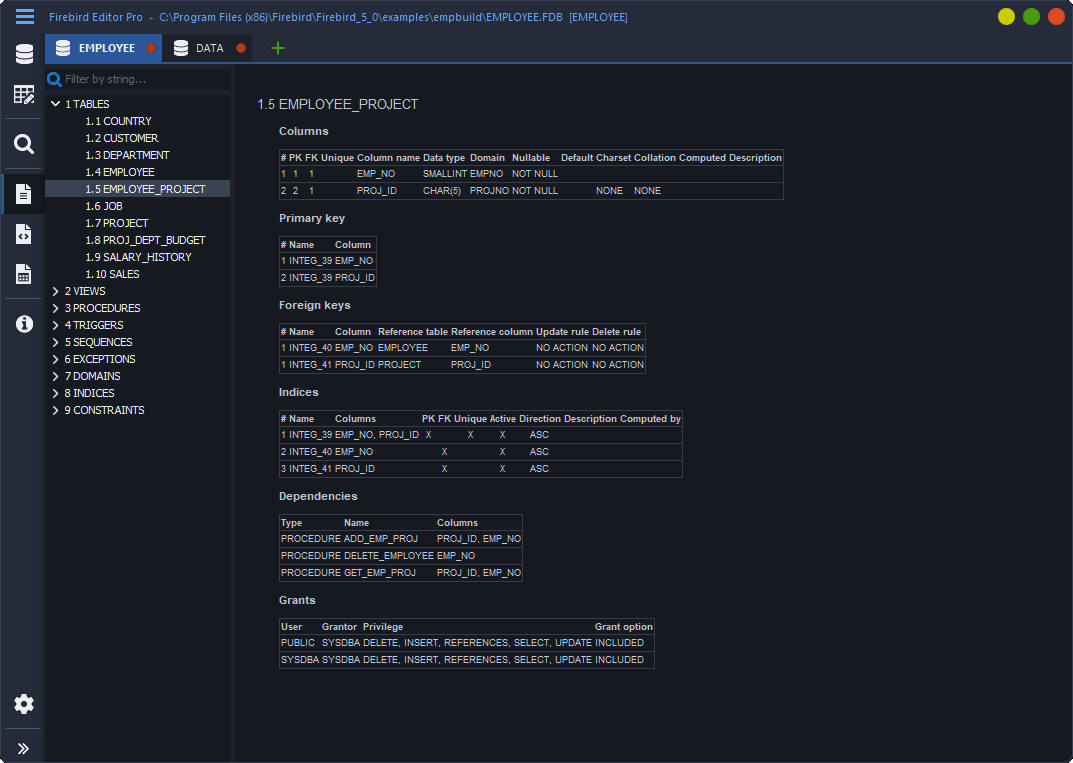
The objects of the database in a tree, with source, dependencies and grants.
The objects of the database grouped by type, with a filter. System objects can be shown.
Columns with keys, domains, defaults and comments, primary and foreign keys, checks, unique constraints, indices, triggers and the data itself.
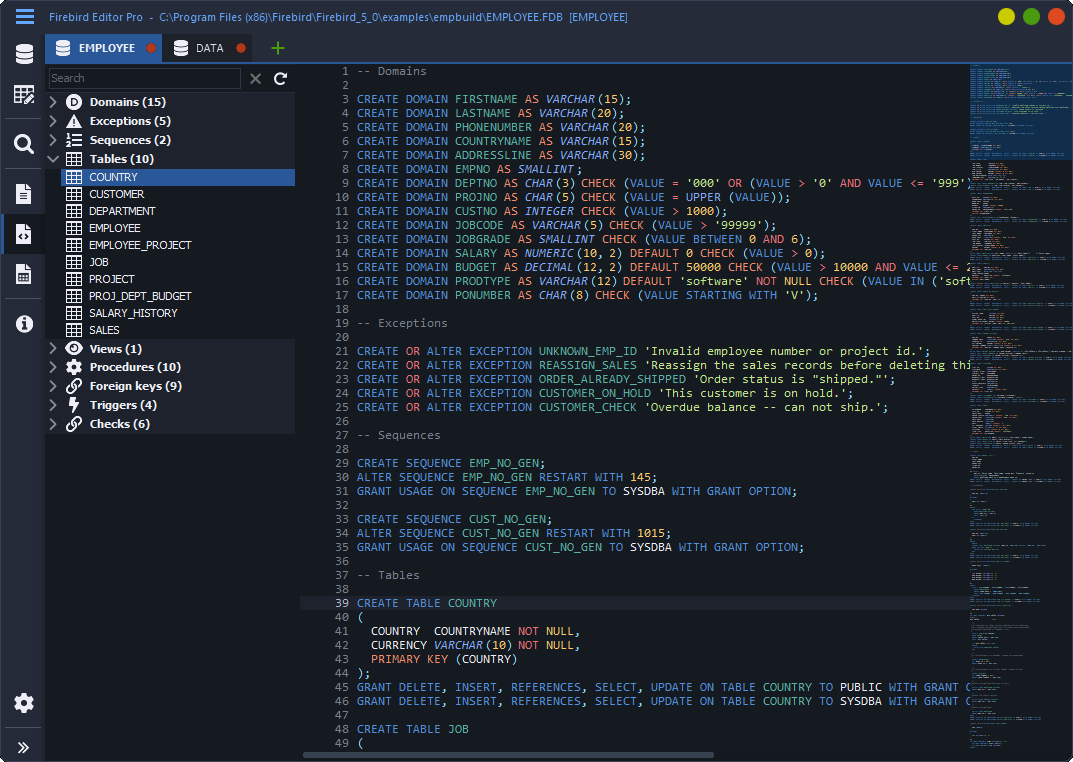
Each object has a syntax highlighted DDL source tab with search. Packages show header and body, procedures and functions their parameters.
See what an object depends on and what depends on it, and who has which privileges, including grant and admin options.
CREATE and DROP statements for every object, ALTER for sequences, domains and table columns, trigger activation, comments, grants and revokes are generated.
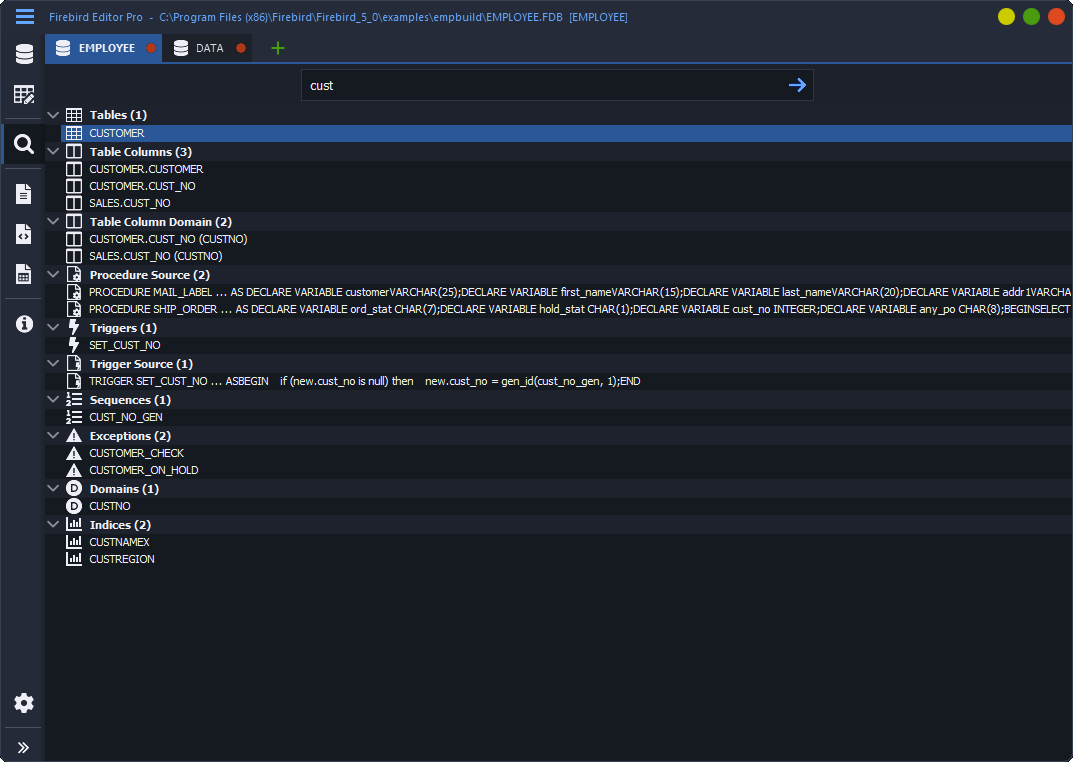
Find a string in object names, table and view columns, domains and in the source of procedures, functions, triggers and packages.
Packages, stored functions, external routines and identity columns are supported, along with the newer data types.
Change the value of a sequence, see index properties and statistics, and recalculate the statistics of one index or all of them.
SQL editor with the editor control of Text Editor Pro, code completion and execution plan.
Execute the selection or the whole text. Queries return a result grid, everything else runs as a script, in the background with a cancel button.
See the detailed explained plan of a query, or show the plan without executing the statement at all.
Edit the result set of a query and commit or roll back. The reason is shown when a result set cannot be edited.
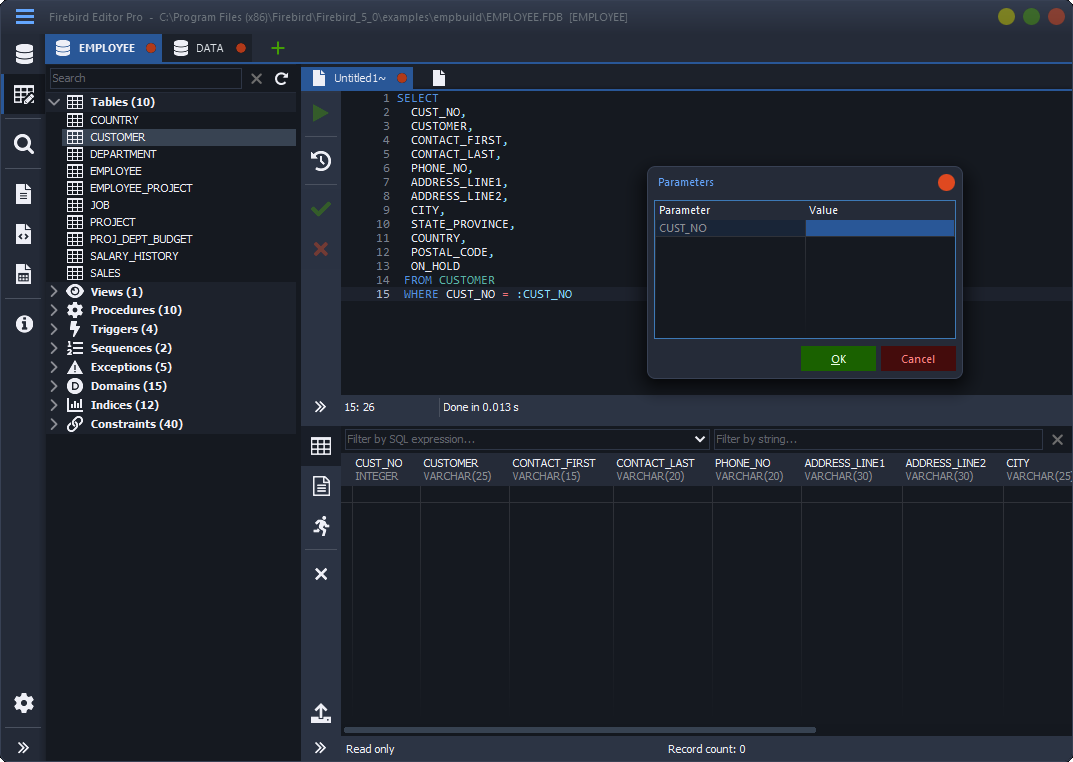
Values for query parameters are asked when you run, including NULL, empty strings and Unicode text.
Commit and roll back explicitly, or switch on auto commit. An execution log records what was run and how long it took.
Tables, views, columns, procedures, functions, packages, keywords and the aliases of your statement, with parameter types.
Generate SELECT, INSERT, UPDATE, DELETE and MERGE statements, or insert CREATE templates for tables, views, procedures, functions, packages, triggers and other objects. Add your own snippets with shortcuts.
Executed statements are kept in the SQL history. Frequently used statements can be saved to a list.
Thirteen layout rules, indentation settings and separate capitalization for keywords, tables, columns, functions and seven other element types.
Multiple carets, synchronized editing, code folding, minimap, bookmarks, matching pairs, search with a search map and editable color themes.
Insert object names and generated statements from the tree beside the editor, or open the object in the object browser.
Work with several SQL files in tabs with auto save, and print with preview, headers, footers and line numbers.
View and edit table data and BLOBs.
Column filters, a search panel that highlights matches, sorting, zoom, auto-fit and jump to column. Data that is not fully fetched is sorted and filtered by the server.
Insert, delete and edit rows with commit and rollback. Set a field to NULL, to its default or to a new GUID.
View one record as a column list, compare two records field by field, and fill keys from a sequence you attach to the grid.
Open a BLOB as text with JSON, SQL and XML highlighting and formatting, as an image, as a PDF, as a web page or in the hex editor.
Save the BLOBs of one column or of all BLOB columns to files. File names come from the primary key and the file type is detected from the content.
See the size, detected image type and a hash of a BLOB, and load or save its content as a file.
System or custom date and time formats, decimals by scale, thousand separators and BLOBs shown as text.
Data export, database source script, data pump and database documentation.
Export any grid, and table data also as SQL statements. Computed columns, identity columns and BLOBs can be left out.
Load records from JSON, and copy grid data to the clipboard for spreadsheets and documents.
Build a complete DDL script of the database with a switch for every object category, grants and sequence values, and save it as SQL.
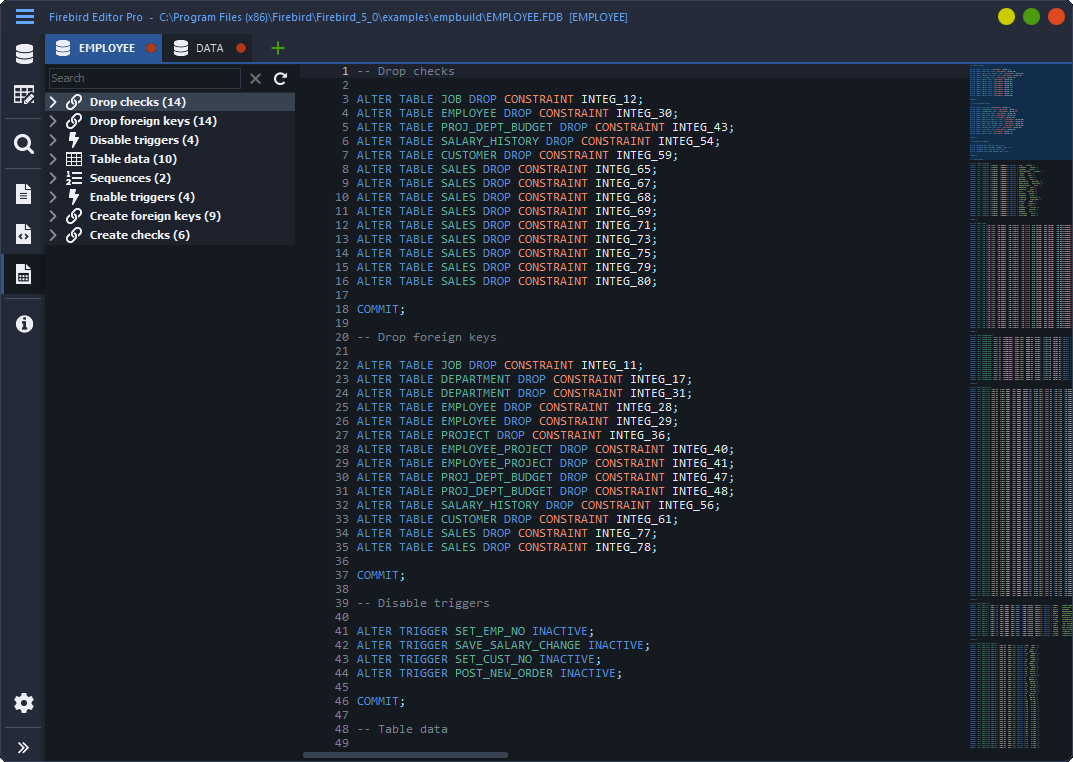
Generate a data migration script with tables ordered by their foreign keys. It can disable triggers, recreate constraints, update sequences and commit in batches.
Produce a browsable document of the database objects with a table of contents, and save it as HTML or PDF.
Backup, restore, monitoring and database compare.
Back up through the services API with live output, parallel workers, metadata-only and skip-data options, and backup compression.
Restore to a new or existing database with a new page size, deactivated indexes, commit after each table and parallel workers.
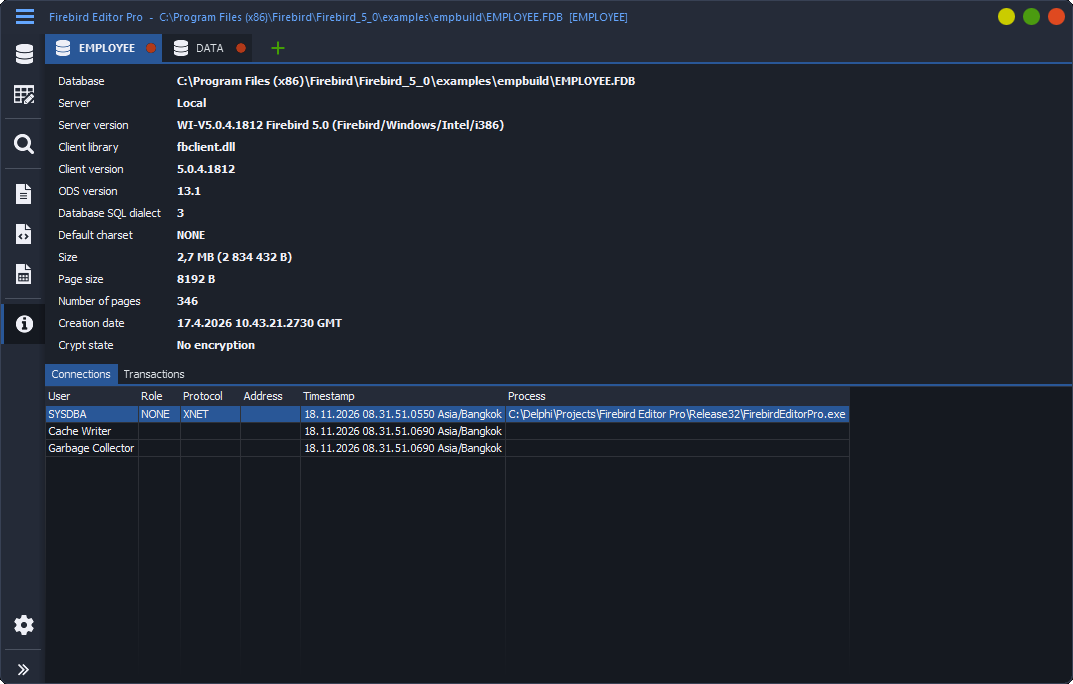
See who is connected, from where and with which program, and close a selected connection or all others.
Monitor running transactions with their SQL text, start time, client process and page reads, writes and fetches.
Compare the objects of two connections across 13 object types and inspect every difference in a side-by-side DDL diff.
Server, client and ODS versions, dialect, default character set, page size, database size, creation date and encryption state.
Options, skins, color themes and scaling.
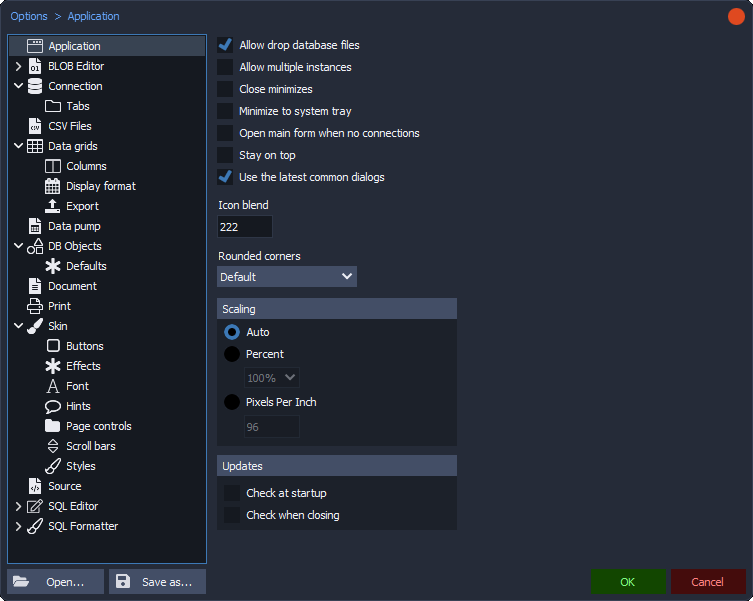
Options for connections, data grids, BLOB editor, SQL editor, SQL formatter, skins and more, with a search.
Seven built-in skins with more to download, adjustable colors and effects, and editable color themes for the SQL editor.
Automatic, percentage (100 to 300 percent) or pixels-per-inch scaling, rounded corners, and separate fonts for each part of the editor.
Multiple instances, minimize to the system tray, stay on top and automatic update checks.
Free for use in any environment. See the license.